


Bound
4.1281.00 Reviews
App Specs
- Version
- 2.1.17
- Updated On
- License
- Free
- Downloads
- 100,000+
- Developer
- Bound - Youth Sports & Activities
- Categories
- Sports
- Platform
- Android
Screenshots
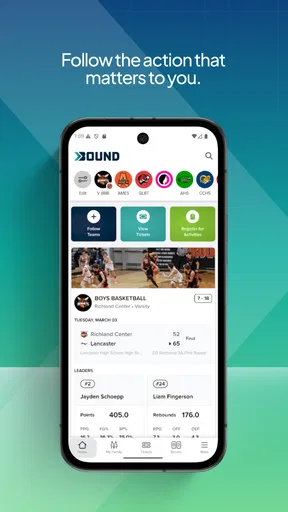
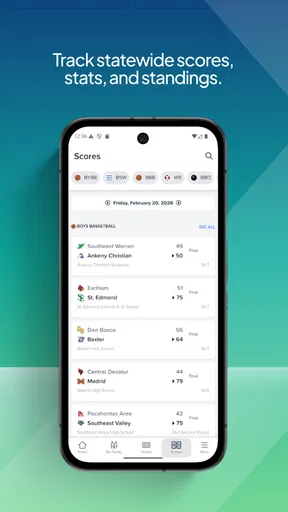
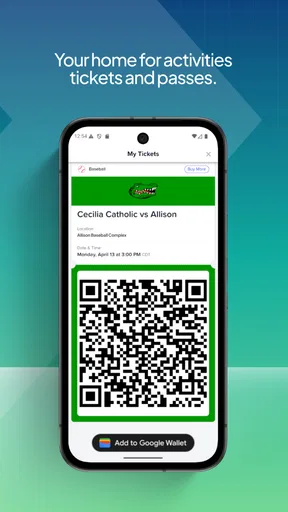
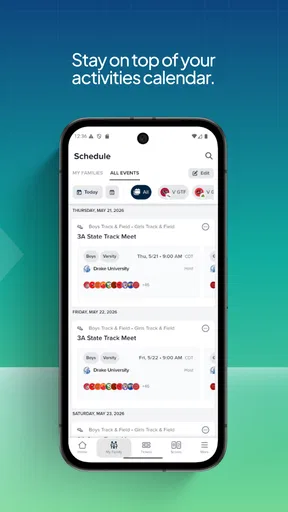
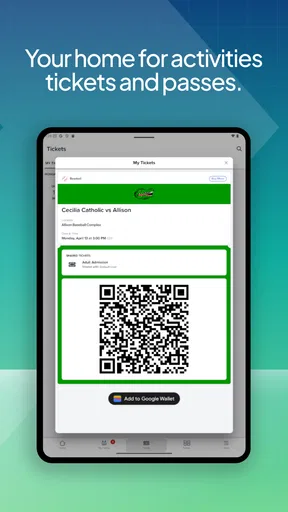
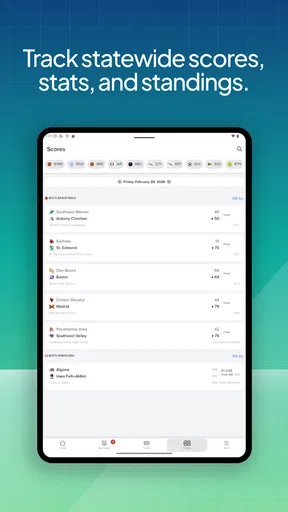
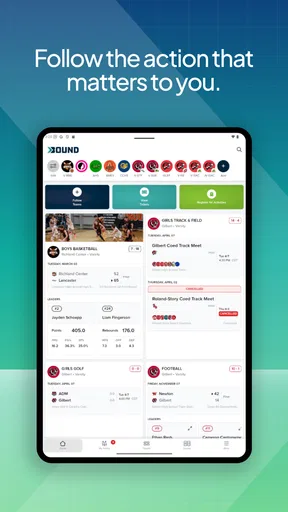
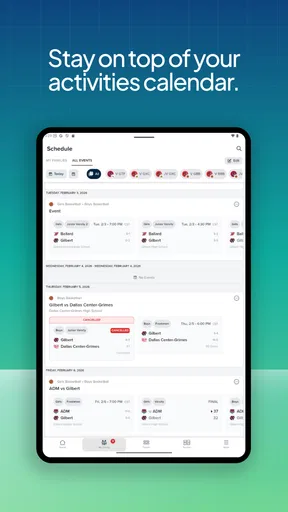
 Analysis by AppCompare
Bound is a sports app from Bound - Youth Sports & Activities that I would describe as a coordination tool for families involved in youth activities. It is free, aimed at users aged 10 and over, and sits in a useful space between a team noticeboard, an activity calendar, and the scattered messages that usually surround children’s sports. My first impression was that its value depends less on flashy presentation and more on whether the people around you actually use it consistently.
That point matters. A sports app can be technically sound and still feel unhelpful if a coach posts updates in one place, parents reply somewhere else, and young athletes receive a third version of the plan. Bound is most useful when it becomes the shared location for an activity group. If your team or club has already chosen it, the app can reduce a lot of everyday confusion. If nobody in your group is using it, installing it alone will not magically create a useful sports network.
Where the real friction appears
The first obstacle is usually not the phone or the app itself. It is knowing how your particular activity group expects Bound to be used. Youth sports often involve several roles: a player, a parent or guardian, a coach, and sometimes another family member handling transport. Before spending time exploring every screen, I would find out who is responsible for creating or inviting people into the relevant activity and which account or contact details should be used.
This is a small but important distinction. A parent may install the app expecting to see a complete schedule immediately, while the coach may still be preparing the group. A player may be looking at an account that is not connected to the family member receiving announcements. In that situation, the empty or incomplete experience can look like a technical failure even when the group setup is simply unfinished.
I also recommend deciding early which person will be the main household user. If one parent checks every update but another handles pickups, the second person should not be left dependent on forwarded screenshots. A shared routine works better: one person confirms that the activity appears correctly, then the family agrees on who checks changes and who communicates them to the athlete. This avoids the familiar problem where everyone assumes someone else saw the latest message.
Another source of confusion is treating Bound like a general social network. Its usefulness is tied to youth sports and activities, not to collecting unrelated conversations. I found it easier to judge the app when I approached it with a specific purpose: follow an activity, keep track of relevant information, and return when something changes. Users looking for broad entertainment or a large public sports community may find the experience narrower than expected.
The developer is Bound - Youth Sports & Activities, and the app has reached more than one hundred thousand installs with an average rating of 4.2 from roughly one thousand ratings. Those figures suggest that it has found a real audience, but they do not remove the need for local adoption. In this category, the quality of the experience is partly social: the app is only as complete as the information the organizers and families put into it.
Worth Reading Before You Choose

Flipboard Shows What News Apps Must Do Beyond the Feed

Switching to Android Auto Means Rethinking Your Driving Routine

Google Calendar Makes a Crowded Week Easier to Manage

Ludo King Makes the Most of the Minutes Between Plans

Baby Panda World Brings Quick Play to Modern Phones, but Its Game Library Feels Busy

ESPN’s Live Game View Makes Following Close Games Easier
What to check before blaming the app
When an activity seems missing, I would start with the basics in a fixed order. First, confirm that you are signed into the intended account. Second, check whether you were invited to the correct group rather than a similarly named activity. Third, close and reopen the app after accepting an invitation or changing account details. These steps sound ordinary, but they separate an account or invitation problem from a display problem.
It is also worth checking whether the information you expect is supposed to come from Bound at all. Some clubs use one service for schedules and another for payments, registration, medical information, or private team discussions. If a detail has never been entered into the activity’s Bound setup, repeatedly refreshing the app will not create it. The practical solution is to ask the organizer one precise question: “Is this information meant to be posted in Bound?”
On Android, Bound requires at least version 11 of the operating system. That is not a demanding requirement for many recent phones, but it can matter on an older device that has been kept for a child or used as a backup. If installation or updating is unavailable, checking the phone’s Android version is more useful than repeatedly tapping the install button. The current app version is 2.1.17, so keeping the app updated is sensible when a group relies on it for time-sensitive information.
I would also make sure there is enough free storage and that the phone has a stable connection during the first setup. A weak connection can make an invitation, activity list, or recent update appear delayed. Switching between mobile data and Wi-Fi, then reopening the app, is a safe general check. I would avoid deleting the app immediately, especially if I had not confirmed that I could sign back into the same account.
Notifications deserve a separate check because they are often mistaken for missing information. If the app opens normally but you never notice changes, review the phone’s notification settings and any battery-saving restrictions affecting Bound. The exact menu names vary by Android version, but the principle is the same: the app can contain an update that the phone is not surfacing promptly. For youth sports, that difference can matter when a practice time changes near the end of the school day.
A setup routine that prevents later confusion
My preferred setup is deliberately boring. I install Bound, sign in with the account that will remain available to the family, accept the correct activity invitation, and then compare what appears with the organizer’s description. I do not assume that seeing the app’s home screen means the connection is complete. I look for the specific group or activity that should matter and make sure its name is recognizable.
Next, I would ask the coach or organizer to confirm that the right family member is attached to the right participant. This is especially useful when a child has changed teams, joined a second activity, or previously used a different email address or phone. Duplicate or outdated accounts can create a misleading impression that information is missing when it is actually attached elsewhere.
A useful habit is to take a moment with the first update rather than just dismissing it. Identify where the activity information appears, how changes are shown, and where you would return to review it later. I would not rely on memory after a rushed first launch. The goal is to build a repeatable path: open Bound, select the relevant activity, check the latest information, and then contact the organizer only when something genuinely remains unclear.
Families should also agree on what counts as confirmation. For example, a parent may read an update but forget to tell the child, while the child may see an old message on a shared device. A simple household rule—one person checks the app and confirms transport or equipment details—can prevent more mistakes than any technical setting. This is one of the less obvious strengths of a focused activity app: it can support a routine, but only if the family creates one around it.
Because Bound is rated for Everyone 10+, I would still keep normal family supervision in mind. The age label makes it suitable for a broad audience, but youth activity communication involves real-world logistics. Younger users may need an adult to help interpret changes, confirm travel arrangements, or decide which information should be shared outside the activity group.
Recovering a broken workflow
When something goes wrong, the best recovery method is to isolate the stage that failed. Did the app install but not open? Did it open but show no activity? Did the invitation arrive but fail to connect? Did the activity appear but not reflect a recent change? Each case points to a different next step, and treating them all as “Bound is not working” usually wastes time.
If the app will not open, I would restart the phone, check for an available update, and confirm that the operating system meets the minimum requirement. If it opens but behaves oddly, I would close it fully and reopen it once rather than repeatedly tapping the same control. If the problem continues, I would note the exact screen and action that caused it. That description is much more useful to an organizer or support contact than saying only that the app is broken.
If an invitation does not seem to work, I would first verify the account identity and ask the sender to confirm the invitation was directed to that account. I would not create several new accounts as a quick experiment. Multiple identities can make later cleanup harder, particularly in a family where one person may already be connected to more than one activity.
For a missing update, compare the app with the organizer’s direct message if one exists. If the organizer says a change was posted but it is not visible, reopen the activity and check the connection. If the organizer never posted it in Bound, the issue is communication workflow rather than app performance. This distinction is practical: it tells you whether to troubleshoot the phone or ask the group to use one agreed channel.
There is also a useful recovery rule for urgent situations: do not rely on a single app for immediate safety-critical arrangements. If a practice location changes shortly before departure and you cannot verify the update, contact the coach or another responsible adult directly. Bound can help organize youth activities, but a delayed notification should not determine whether a child travels to the wrong place.
Another non-obvious trade-off is that centralization improves clarity only after everyone accepts the same process. During the transition, information may be duplicated in text messages, email, and Bound. That period can feel more confusing than the old method. I would encourage the group to label which channel is authoritative and gradually stop reposting every minor update everywhere. Otherwise, the app becomes another inbox instead of a solution to fragmented communication.
When the app is not the cause
Some problems belong to the club’s organization. A schedule can be incomplete because nobody entered it. A team can appear inactive because the organizer has not invited the participants. A family can miss a change because the message was posted late or described unclearly. No sports app can repair those habits by itself.
This is where Bound differs from a simple calendar. A calendar is excellent for information that one person already knows and enters accurately. Bound makes more sense when several people need to stay aligned around a youth activity. The advantage is shared context; the weakness is dependence on the group’s discipline. If your coach prefers handwritten notices or constantly changes services, a standalone calendar may be more reliable for your household, even if it means manually entering updates.
It also should not be confused with a full club-management system. Families who need detailed administration, payments, registration records, or broad organization controls may prefer whatever specialized platform their club already uses. Bound is a better fit when the central need is staying connected to youth activities without turning every update into a long chain of private messages.
Compared with ordinary group chats, the app’s appeal is focus. A chat thread can bury an important change beneath jokes, questions, and unrelated replies. Bound is potentially cleaner for activity-specific information. The trade-off is that a chat is more flexible and familiar, especially when a group needs an immediate back-and-forth conversation. I would choose Bound for structured activity awareness and a chat for quick informal discussion, unless the organizer has clearly chosen one channel for everything.
Compared with paper notices, Bound is easier to revisit when a family is away from home or when a child needs to check the latest information. Paper can still win for households with limited phone access or for activities where the organizer rarely updates anything digitally. The right choice depends less on modernity and more on whether the chosen method is maintained consistently.
Who will get the most from Bound
I think the app is a good match for families managing recurring youth sports or activities, particularly when more than one adult needs access to the same information. It can also suit young athletes who are old enough to take some responsibility for checking activity details, while still benefiting from adult oversight. Coaches and organizers may find it useful when they want families to have one obvious place to look instead of answering the same logistical question repeatedly.
A realistic example would be a weekday practice after school. The child leaves class, a parent is finishing work, and another family member may handle pickup. If the activity information is kept current in Bound, each person knows where to check rather than searching through separate messages. The app does not remove the need to communicate, but it gives the family a shared reference point and makes the handoff less dependent on one person’s memory.
I would be more cautious if your group has no clear organizer, if participants rarely check digital updates, or if your main need is private conversation. I would also skip making it the only source for urgent travel or safety decisions until you have used it long enough to trust your group’s posting habits. In those cases, a regular calendar, direct contact, or an established club system may be the better primary tool.
My practical verdict after using it
Bound is not an app I would recommend simply because every sports family should download something. I would recommend it when a real youth activity group is ready to use it as a shared point of reference. Its strongest quality is practical: it can bring activity-related information closer together and reduce the need to reconstruct plans from scattered conversations.
The setup requires more attention than the short store summary suggests. Account identity, invitations, participant connections, notifications, and group habits all affect the result. Once those pieces are aligned, the experience becomes easier to judge. When they are not aligned, users may blame the app for an organizer issue, an old account, or a phone setting.
Bound is free, which makes trying it with an existing activity group straightforward. Its current release, version 2.1.17, should be kept current on compatible devices, and Android users need at least version 11. Those practical details are worth checking before asking a child or parent to depend on it. I would install it, confirm the correct activity, test the notification path with a non-urgent update, and only then make it part of the family routine.
My final view is positive but conditional. Bound works best when the group agrees on one dependable workflow. It is more focused than a general chat and more collaborative than a personal calendar, yet it cannot compensate for incomplete information or inconsistent communication. For a coordinated youth sports group, it can be a sensible free addition. For a family whose club already has a reliable system—or one that does not maintain digital updates—it may add another place to check without solving the underlying problem.
Pros
- Clean
- distraction-free interface that is easy to navigate
- Useful for organizing thoughts
- notes
- or personal reflections
- Quick loading makes it convenient for short writing sessions
- Simple design keeps the focus on your content
- Suitable for users who prefer minimal features and fewer distractions
Cons
- Limited customization may not satisfy users wanting advanced tools
- Some features can feel too basic for professional workflows
- May lack collaboration options for sharing or editing with others
- Not ideal for users who need extensive file or project management
- The app’s minimalist approach may feel restrictive over time
FAQs for Bound
What is Bound, and what can I use it for?
Bound is an app designed to help users organize and manage their personal information, activities, or connections in one convenient place, depending on the version available for your device. Its main appeal is a clean, accessible interface that makes everyday tasks easier to follow. Before downloading, check the official store description to confirm the exact features offered in your region and on your operating system.
Is Bound free to download and use?
Bound may be available as a free download, but some features or content can require in-app purchases, a subscription, or an upgraded account. The basic version is usually enough to explore the interface and understand how the app works, while premium tools may unlock additional functionality. Always review the pricing details, trial terms, renewal conditions, and payment information shown in Google Play or the App Store before subscribing.
Does Bound require an account or personal information?
Depending on the features you want to use, Bound may ask you to create an account, provide an email address, or sign in through a supported platform. Some permissions may also be requested for notifications, storage, contacts, location, or other device functions. We recommend reading each permission prompt carefully and checking the developer’s privacy policy so you understand what data is collected, why it is needed, and how it is handled.
Is Bound available for both Android and iPhone?
Bound’s availability can vary by platform, country, and device compatibility. Before installing it, search for the official listing on Google Play if you use Android or the App Store if you use an iPhone or iPad. Confirm the developer name, recent update date, required operating-system version, and user reviews. This helps you avoid unofficial copies and ensures that your device can run the current version properly.
Is Bound safe and easy to use for new users?
Bound is generally straightforward to explore, especially if you follow the initial setup instructions and review the app’s privacy and notification settings. However, safety also depends on downloading the official version, keeping the app updated, and using a strong password if an account is required. New users should begin with the basic features, avoid granting unnecessary permissions, and contact official support if they encounter suspicious behavior or technical problems.


